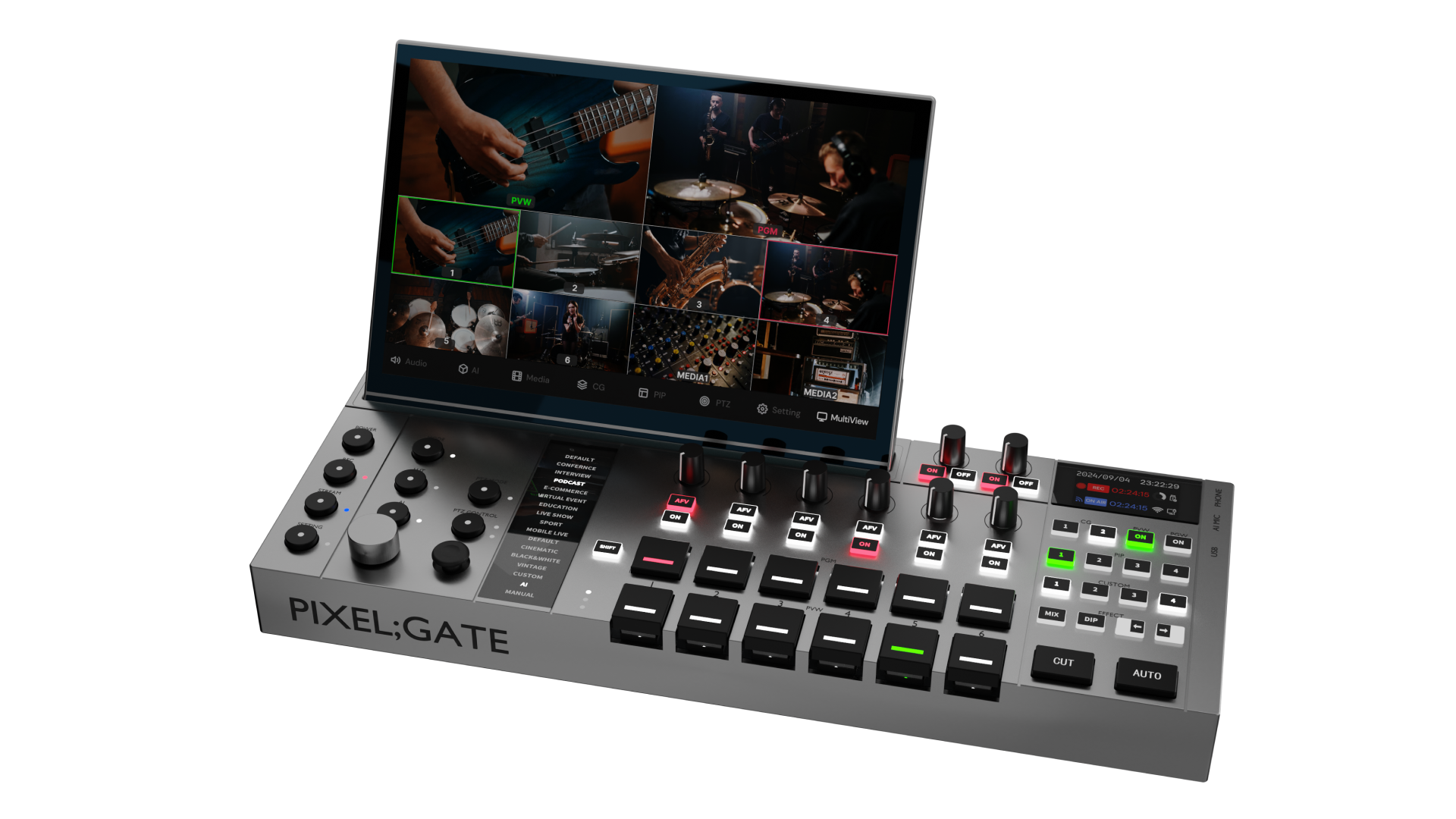
Elevate your productionwith PIXEL;GATE.
Combine switching, streaming, ISO recording, graphics, subtitles, PTZ control, and real-time LUT styling into a single, breathtaking environment.
Why PIXEL;GATE Matters
Modern production is usually fragmented. One device for switching. Another for streaming. Another for recording. Another for graphics. Another workaround for subtitles. Another person just to keep the whole thing moving.
PIXEL;GATE pulls that workflow into one integrated system so smaller teams can produce faster, look more polished, and stay in control under pressure.
From the first source check to the final stream, every core action lives inside one unified environment designed for real production, not patchwork setups.
AI Auto Switching That Feels Like a Real Director
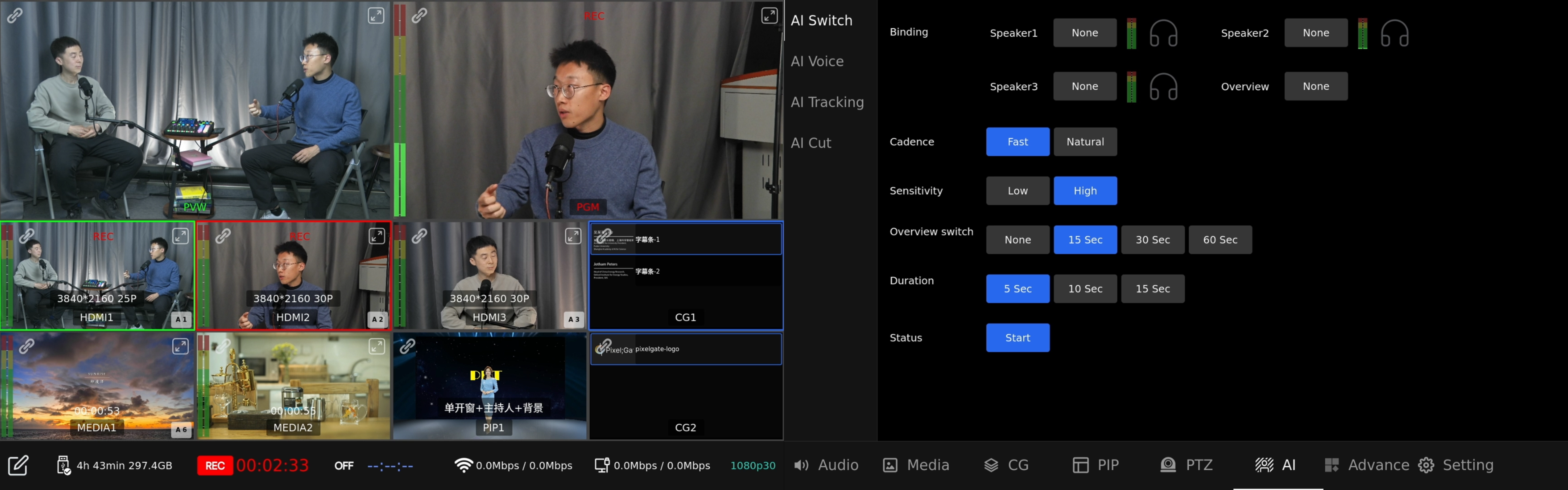
Connect a USB audio mixer, map each speaker to a camera, choose the switching mode and sensitivity, and PIXEL;GATE can begin cutting automatically.
It does not just chase loud audio. It is built to create a more natural live rhythm with speaker cuts, reaction shots, and wider views that keep round tables, interviews, and podcasts feeling alive.
For solo operators, that means less manual switching. For teams, it means a smarter safety net and a faster route to usable content.
Control the Way You Work
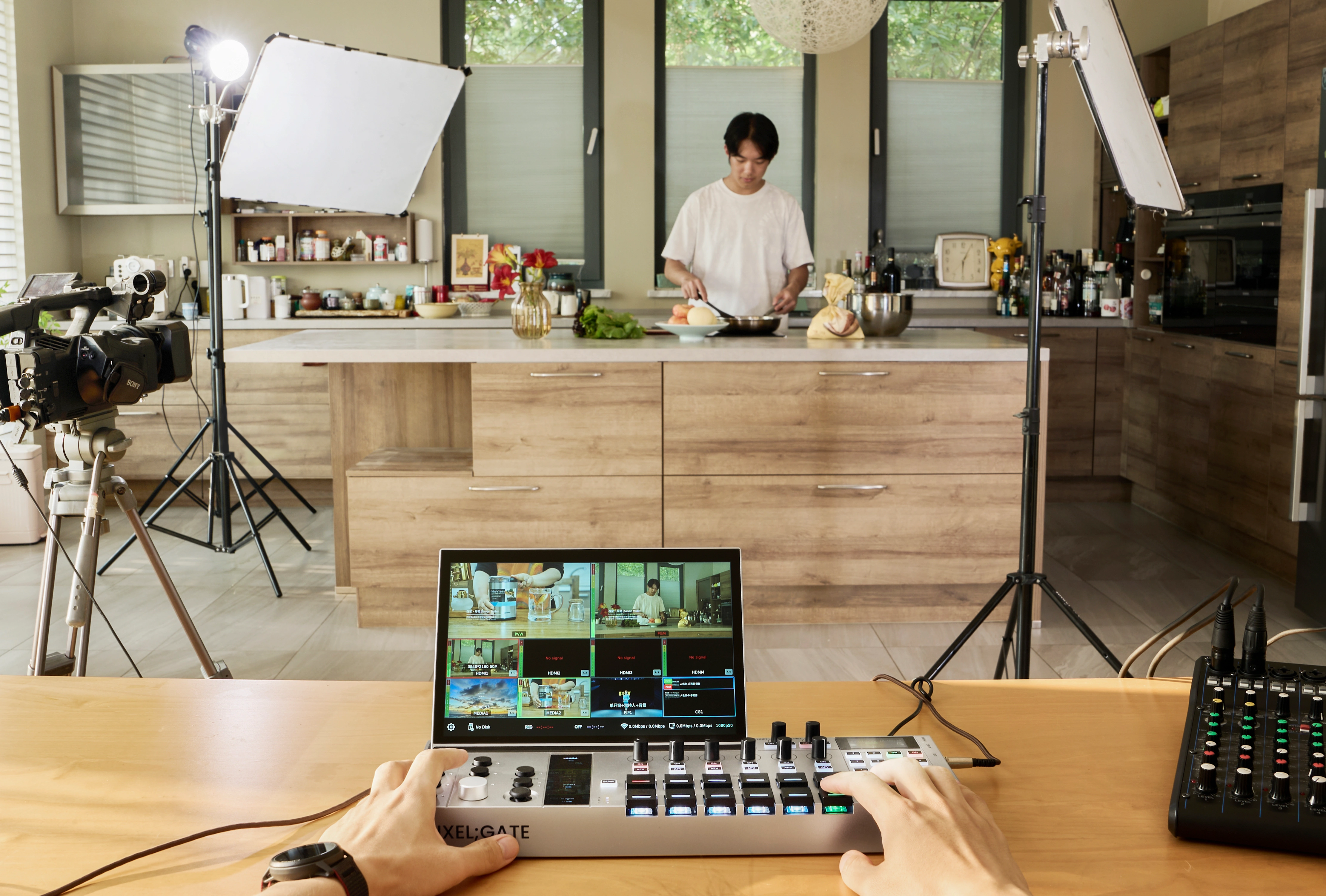
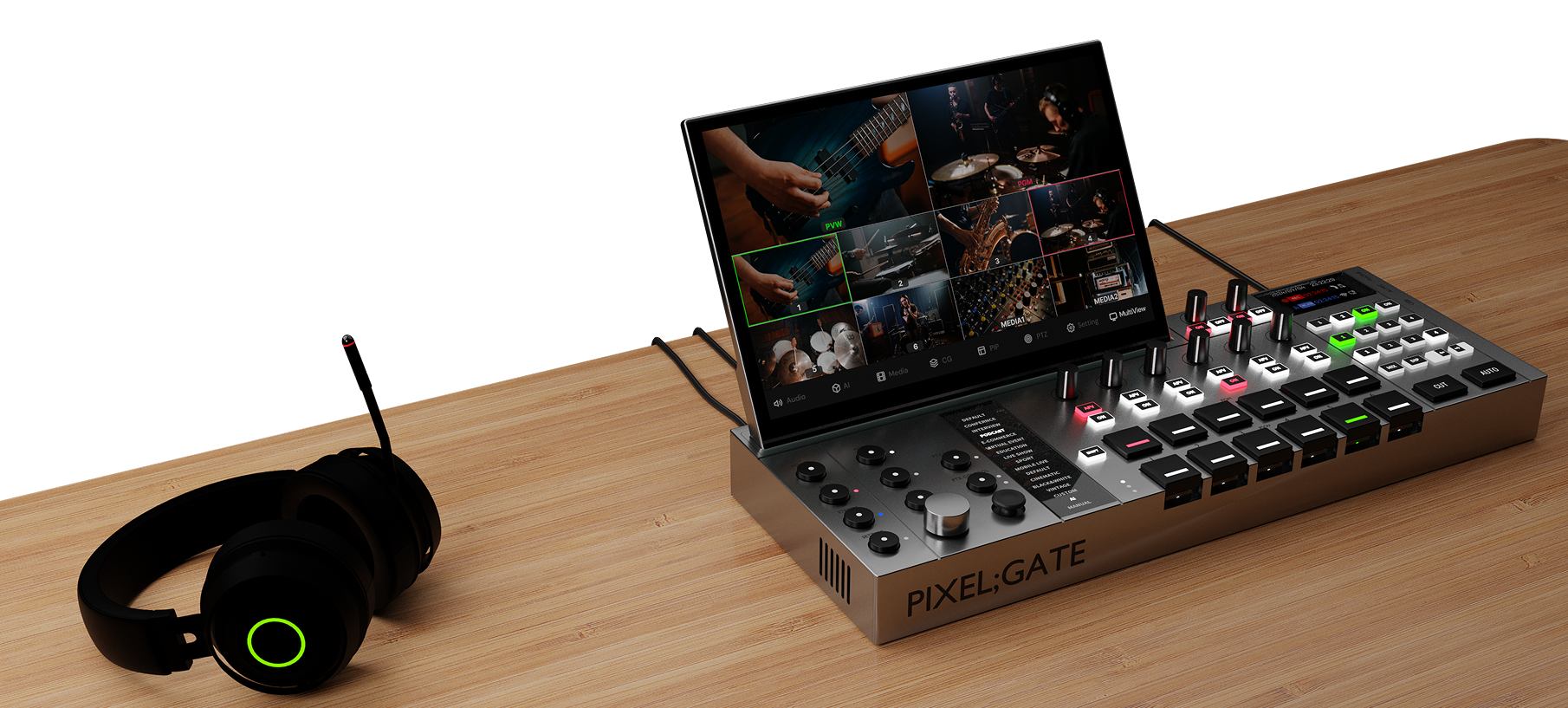
Use the detachable touchscreen when you want direct visual control. Use the hardware panel when you need speed and muscle memory. Connect a mouse and keyboard when you want a more desktop-like setup. Open remote web control on a phone or browser when the workflow needs mobility.
That flexibility matters in the real world. Sometimes you are standing at a stage. Sometimes you are sitting at a desk. Sometimes you are running the show alone.
PIXEL;GATE adapts to the operator, instead of forcing every production into one control style.
Programmable Keys Built for Live Speed
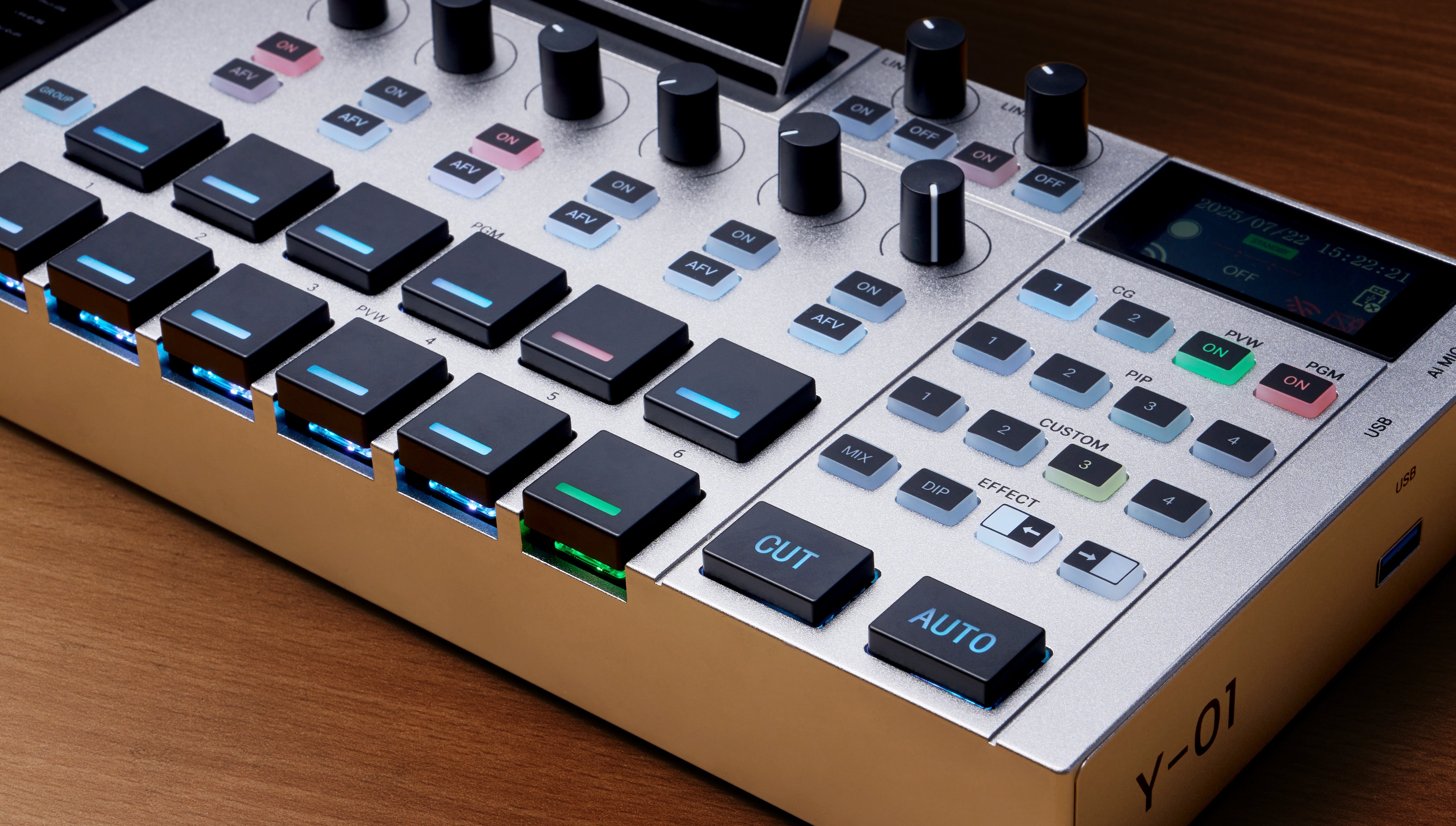
Live production gets better when the controls disappear into your hands.
PIXEL;GATE gives you programmable keys and shortcut controls that can be mapped to source switching, PTZ presets, media playback, picture-in-picture, subtitle actions, and more. Backlit key states make it easier to read the board at a glance, even in fast-moving environments.
Instead of diving through menus, you build your own control layer around the way you actually operate.
Chroma Key, Graphics, Media, and Multi-Window Composition
Bring in logos, lower thirds, name tags, media files, and picture-in-picture layouts without breaking the flow of the show.
Use chroma key to replace green, blue, or other selected background colors with image or video backplates, giving you a compact path to virtual sets, education scenes, product demos, and more controlled visual storytelling.
From simple overlays to layered screen composition, PIXEL;GATE helps smaller productions look far more produced.
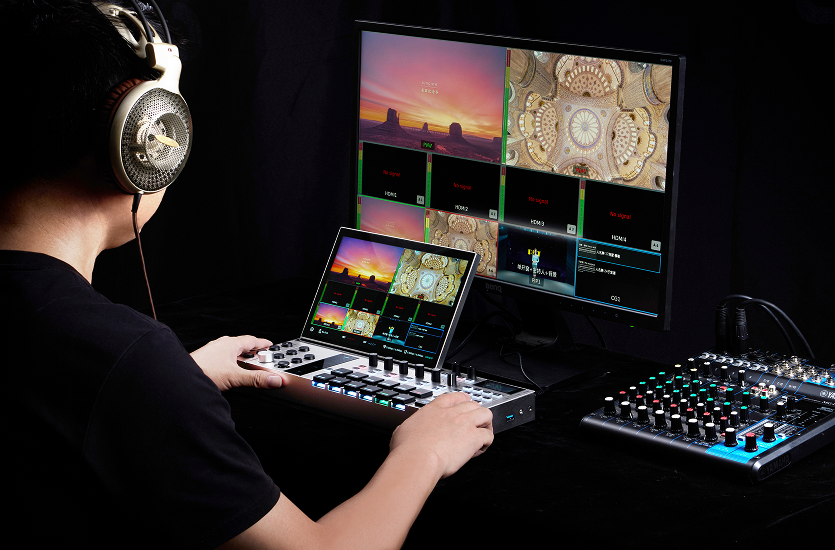
LUT Looks in Real Time
Whether you want a clean brand look, warmer skin tones, a cooler stage atmosphere, or a more cinematic finish, LUT control gives you fast visual consistency without adding another layer of gear or software.
Use built-in LUT presets or import your own looks, then apply them to selected inputs or to the final output and fine-tune the strength to match the scene.
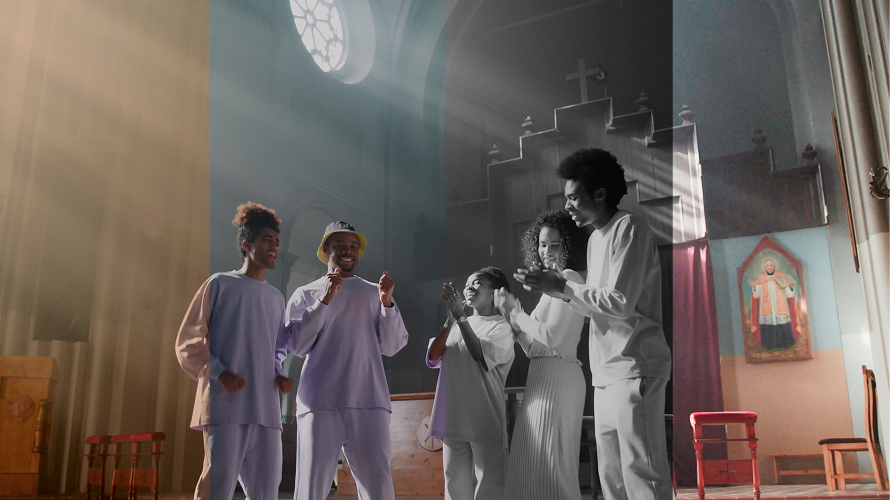
Subtitle and Lyric Control Without the Chaos
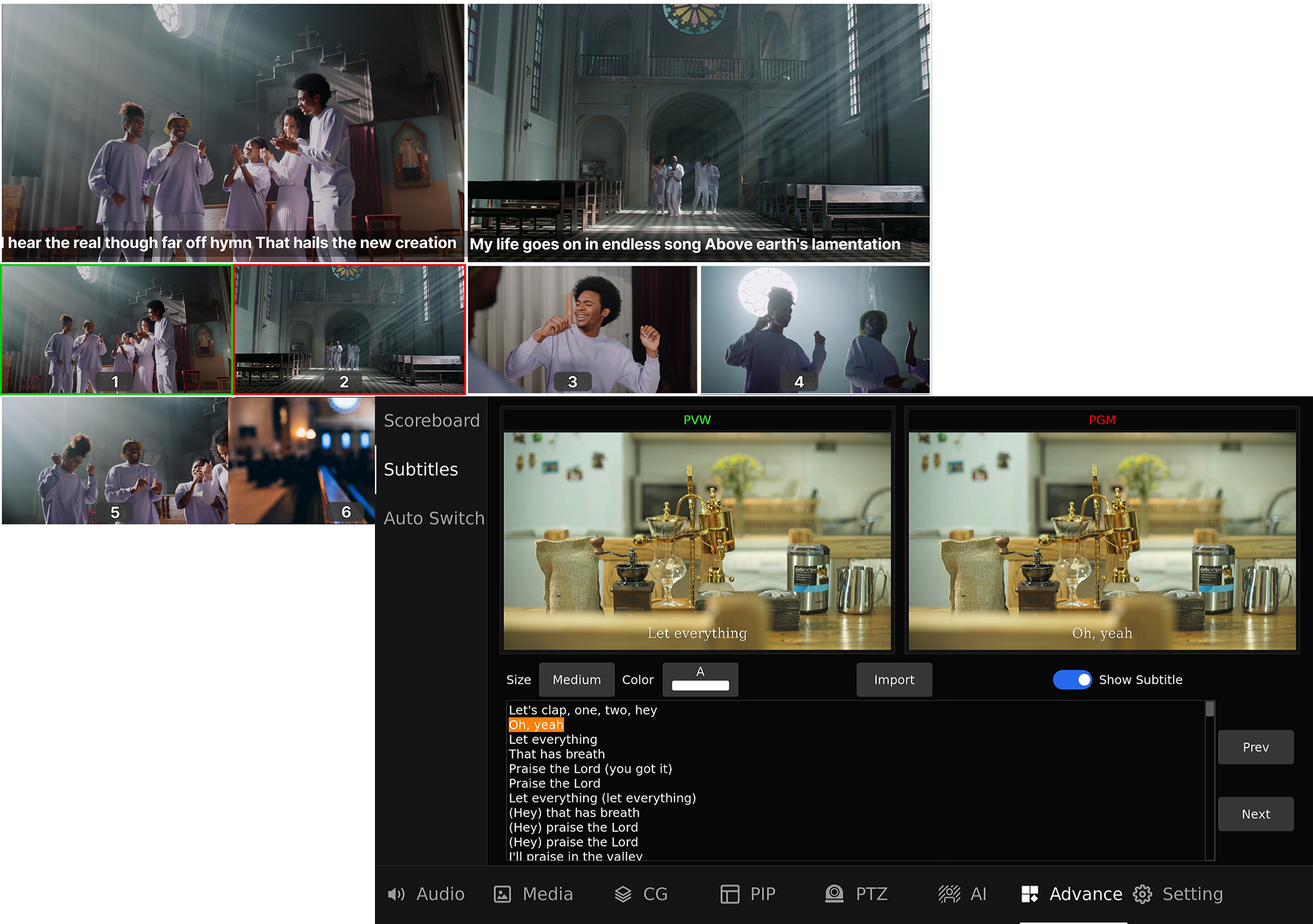
Import subtitle or lyric files, adjust font size, color, and placement, then trigger previous, next, show, or hide actions directly from touch controls or mapped keys.
That makes PIXEL;GATE practical for worship, live performances, classrooms, scripted presentations, multilingual events, and any show where words on screen need to stay synchronized with the moment.
It is the kind of feature that usually becomes a separate headache. Here, it is already part of the system.
Video I/O and Live Monitoring
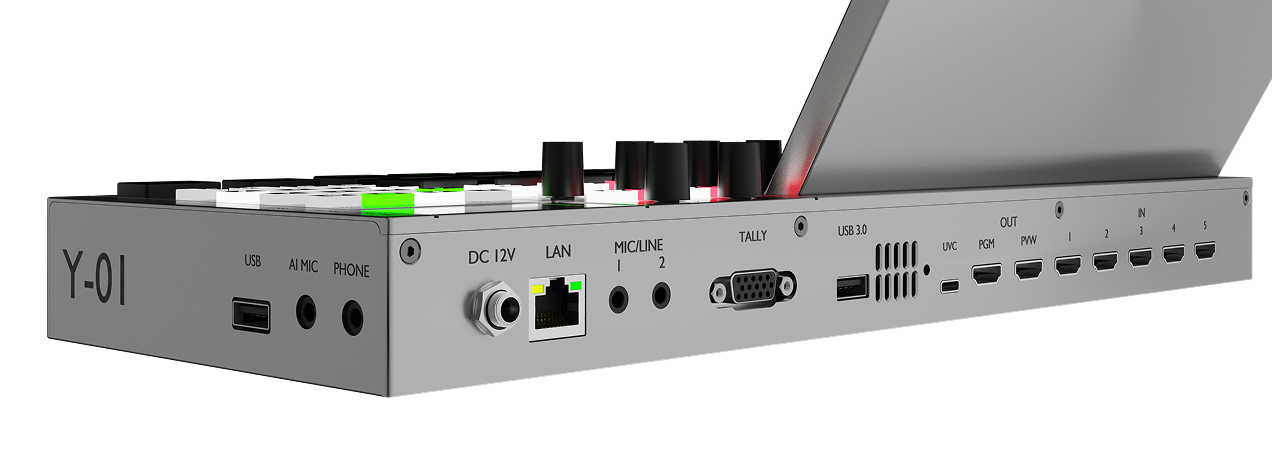
Bring 5 x 4K HDMI inputs together with IP stream inputs in one workflow, then route your production to HDMI outputs and configurable USB/UVC output for streaming, capture, and monitoring.
The unified multiview environment lets you keep an eye on framing, assigned sources, audio meters, recording status, stream status, network state, current mode, and available storage without jumping between devices.
This is not just about connectivity. It is about live visibility, faster decisions, and more confidence once the show is underway.
Audio Control That Stays in Sync
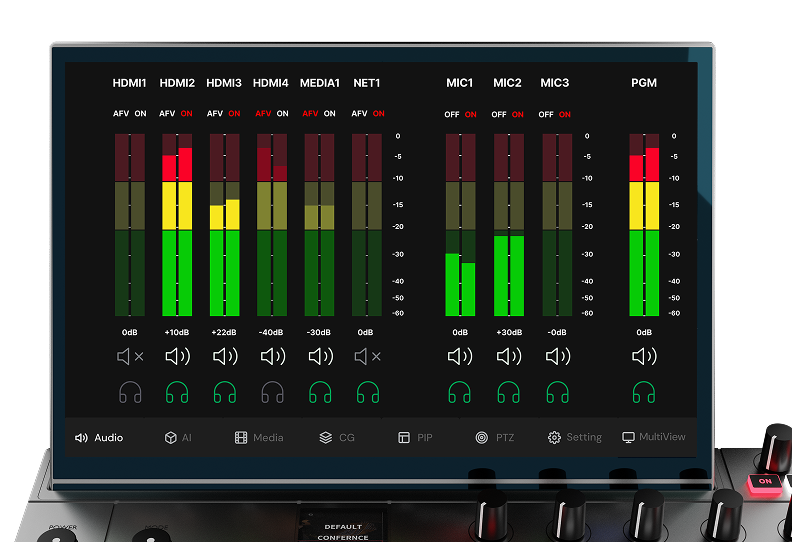
PIXEL;GATE gives you direct control over multiple audio sources with real-time monitoring, separate input and output control, and a faster way to manage sound inside the same production environment.
Work with mic input, line input, USB audio input, and output routing in one place. Add audio delay when you need to sync sound with camera timing, and use mix-minus to prevent echo looping in webinars, remote calls, and hybrid productions.
Whether you are running a podcast, panel discussion, webcast, or classroom session, the system helps you keep audio clean, aligned, and ready to broadcast.
Stream, Record, and Stay Edit-Ready
Go live to up to four platforms at the same time, configure bitrate and delay, and keep the workflow compact without external encoder clutter.
At the same time, record program and selected ISO sources, generate WAV files, and export pre-cut XML files for a faster handoff into post-production.
That means PIXEL;GATE does not stop at live delivery. It also shortens the path to the finished edit.
Built for More Than One Kind of Production
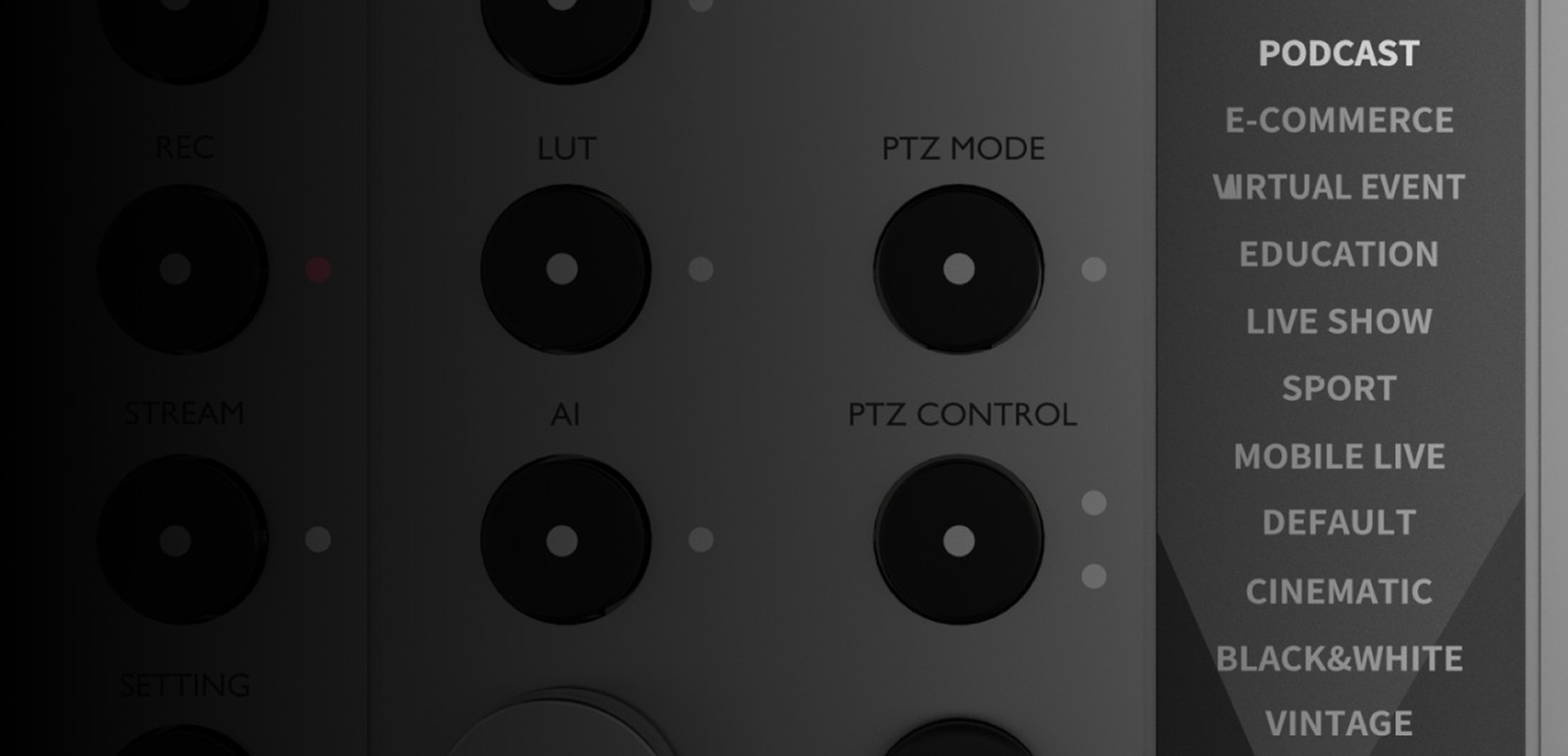
Switch between preset modes for different production scenarios and build layouts, bindings, graphics, subtitles, and control logic around each one.
Go vertical for e-commerce and social-first content. Run slow live mode for long-duration scenic streams. Use scoreboard tools for sports and events. Pair with PTZ cameras and voice control for more autonomous operation.
PIXEL;GATE is designed to cover very different live environments without making the product feel generic.
Podcast Mode
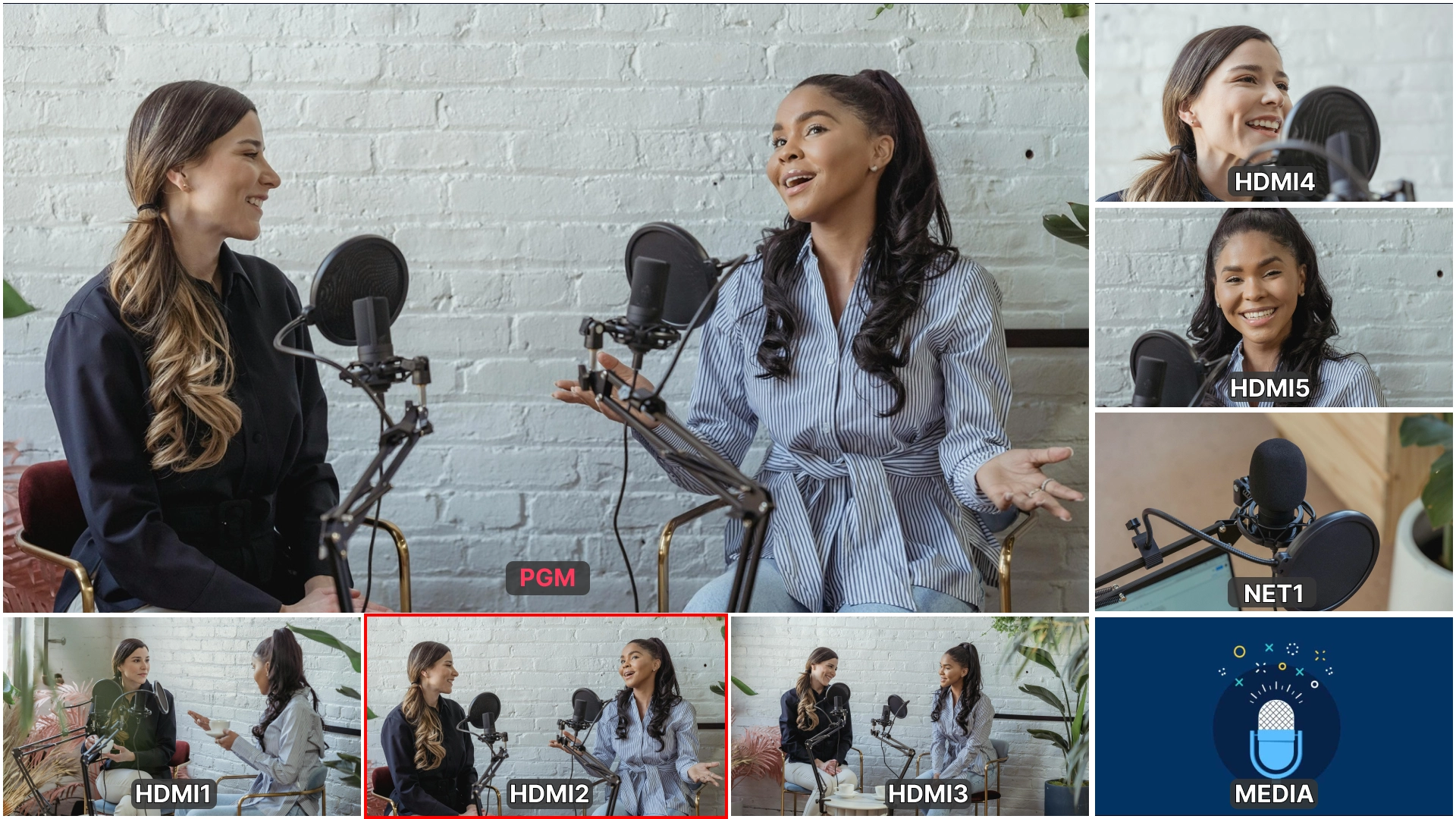
AI Auto Switching for Smarter Conversations
A grab-and-go unit with multi-ISO recording, lossless WAV capture, one-tap source check, real-time LUTs, and AI auto-cutting with RØDECaster Pro II or any USB-output mixer. After recording, export XML cut points to DaVinci Resolve and upload to Pixel AI Cloud for transcription, speaker separation, and smart summaries.
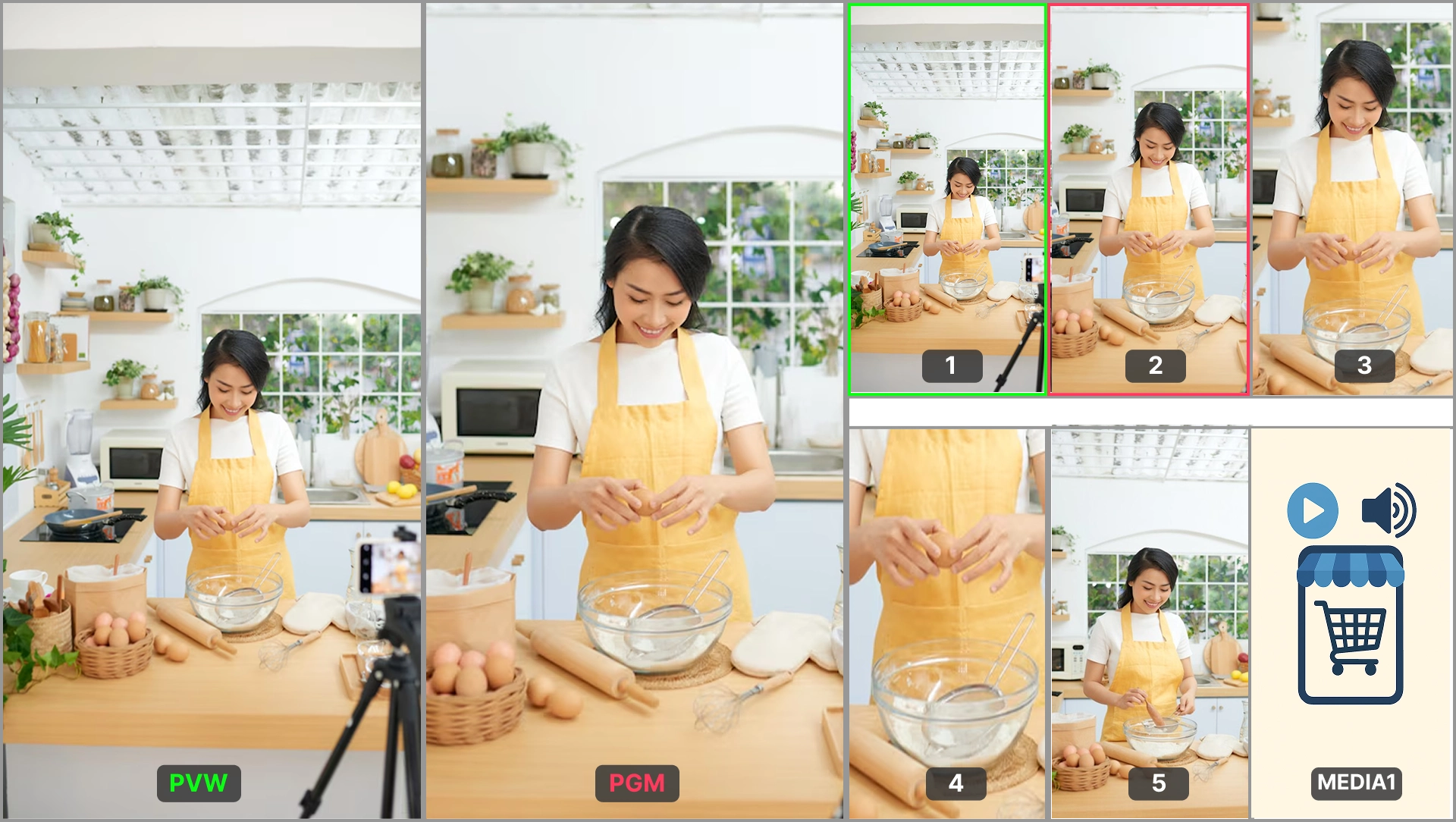
E-Commerce Mode
Vertical-First Selling for Social Platforms
Designed for vertical 9:16 streams with main view, product close-ups, and vertical cuts from 16:9 sources. Freely rotate, mirror, and crop each camera input, or duplicate one camera view multiple times and crop each copy into a different shot — creating a multi-camera look with less setup effort. Ideal for live sales on YouTube, TikTok, and more.
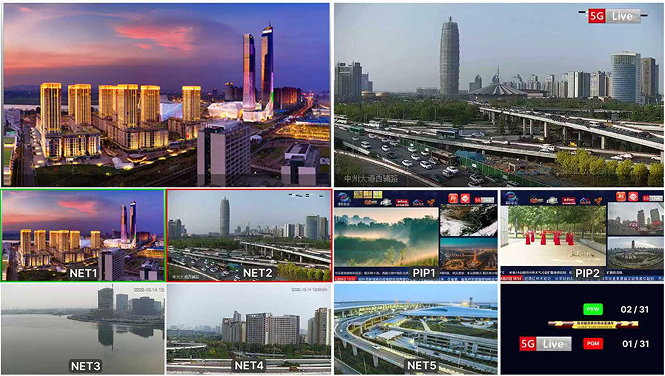
Slow Live Mode
Automated Multi-Camera Scenic Streaming
Loop through selected sources automatically at fixed intervals with sequential or random switching. Ideal for tourism streams, nature views, and long-duration ambient live content.
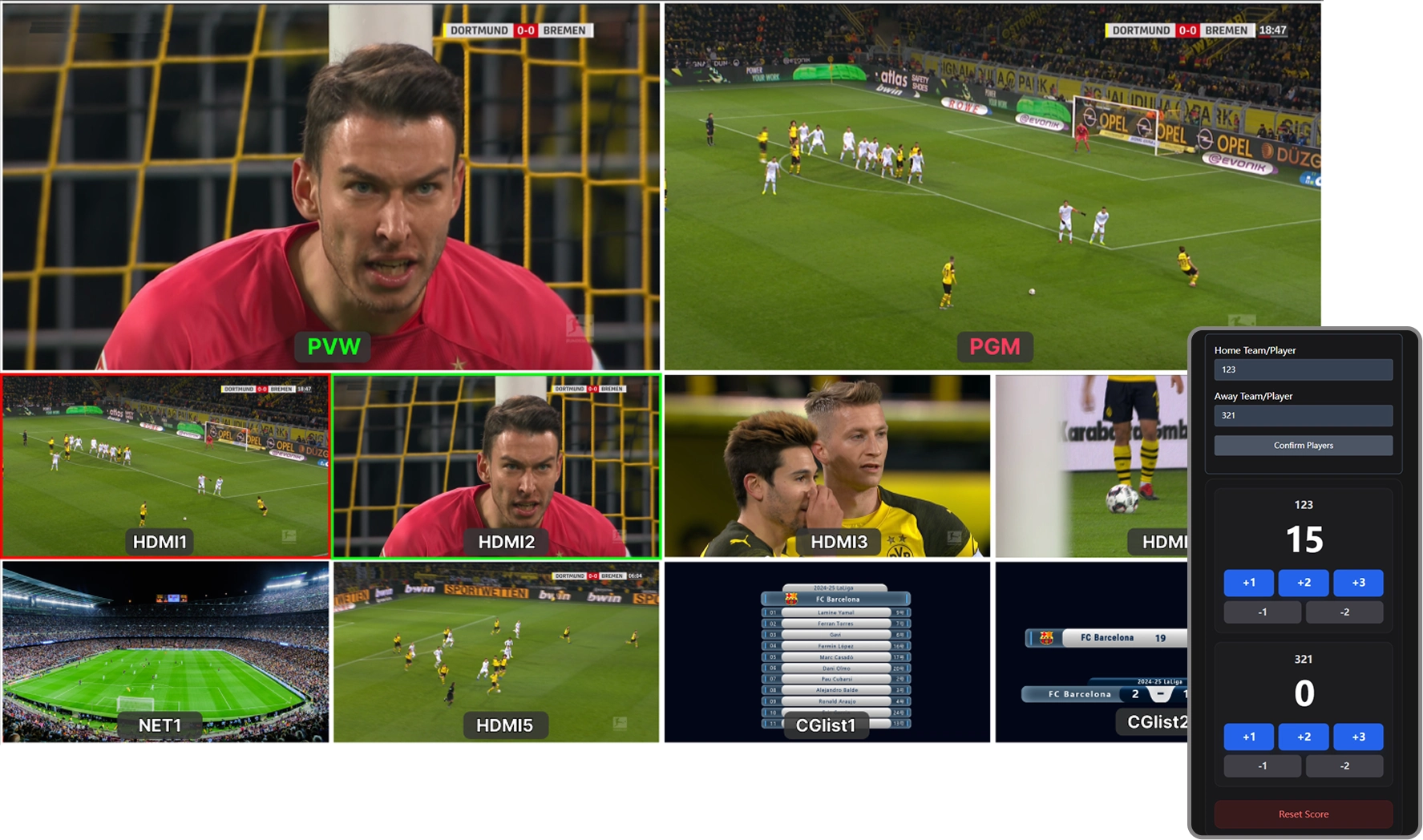
Sports Mode
Scoreboard Graphics for Fast Live Coverage
Add real-time scoreboard control and cleaner live presentation for school games, local tournaments, and event coverage. Built for productions that need quick updates and a more professional on-screen look.
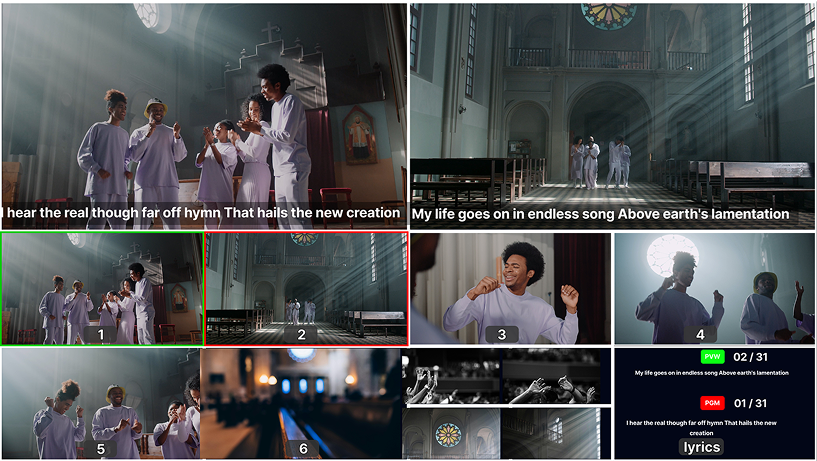
Church Mode
Lyrics and Worship Flow Made Simple
Church Mode combines lyrics, CG name tags, PIP layouts, media playback, NDI/PTZ camera control, audio mixing, and multi-platform streaming in one simple workflow. Control worship lyrics by touch or shortcut keys, add pastor names, logos, scripture graphics, or announcements, and use PIP for sermons, slides, stage views, or remote guests. From worship to sermons, PIXEL;GATE helps church teams create a clean, professional livestream with fewer operators.
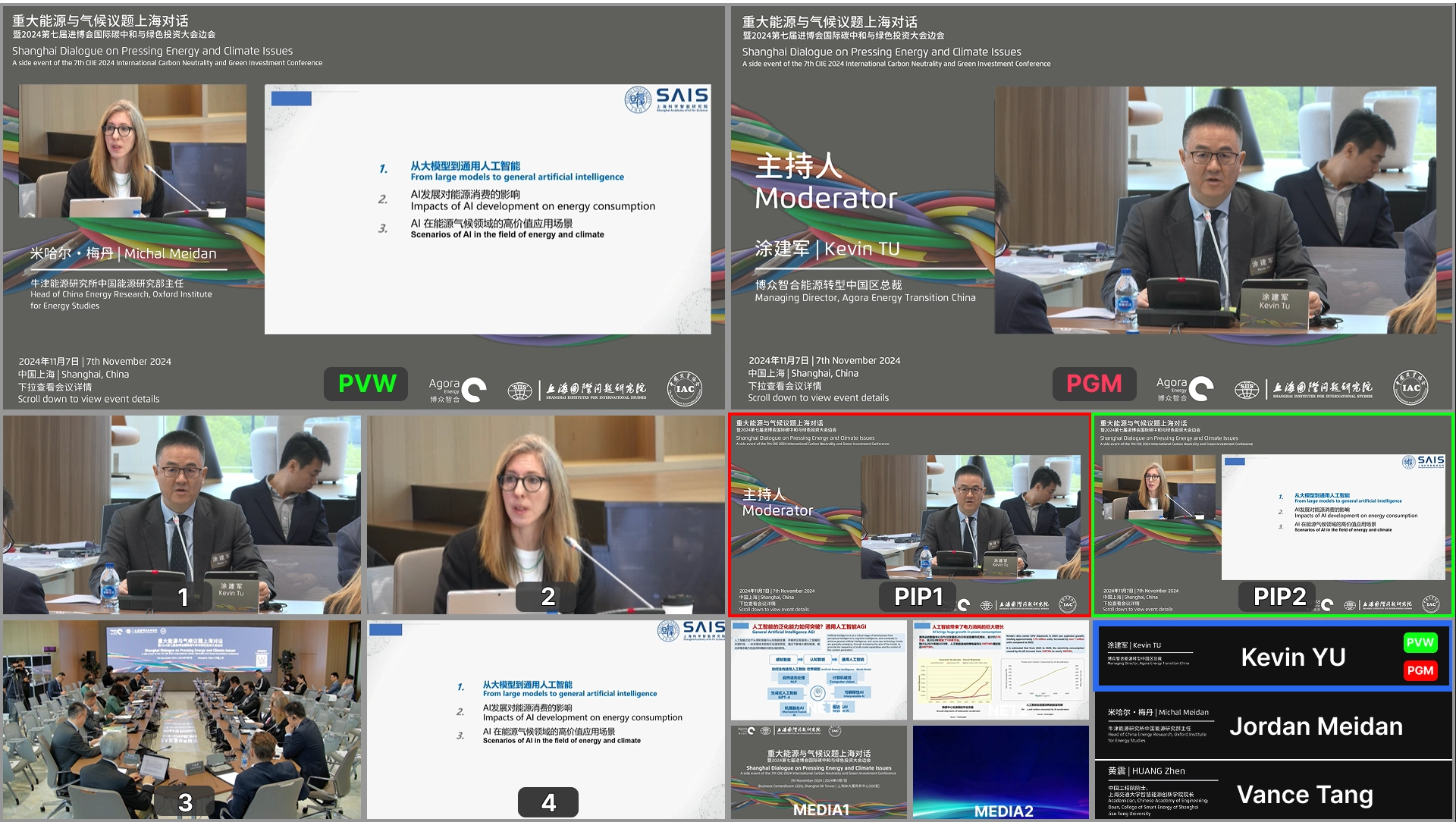
Conference Mode
Macros, PTZ Presets, and Branded Presentation Tools
Use name tags, logos, picture-in-picture, PTZ presets, AI tracking, and custom macros to build a smoother conference workflow. With up to 6 preset positions for each PTZ camera, PIXEL;GATE helps teams quickly move between speakers, panels, and presentation scenes. Macros can combine camera moves, source switching, overlays, PIP layouts, and recording/streaming actions into one tap — reducing manual steps and keeping the event running professionally.
A Modern Production Platform, Not Just a Box
PIXEL;GATE connects hardware control, browser-based remote operation, cloud resources, and AI-assisted production into one complete workflow.
Remote Production Control
Control PIXEL;GATE from any phone, tablet, or computer on the same network. Scan the QR code to open the remote web interface and manage switching, network inputs, streaming outputs, media playback, CG overlays, picture-in-picture, lyrics, scoreboard control, and more.
Multiple remote devices can connect at the same time, so different team members can manage different parts of the show. A dedicated remote screen can also work as a clear timer display, showing current time, recording time, and streaming duration.
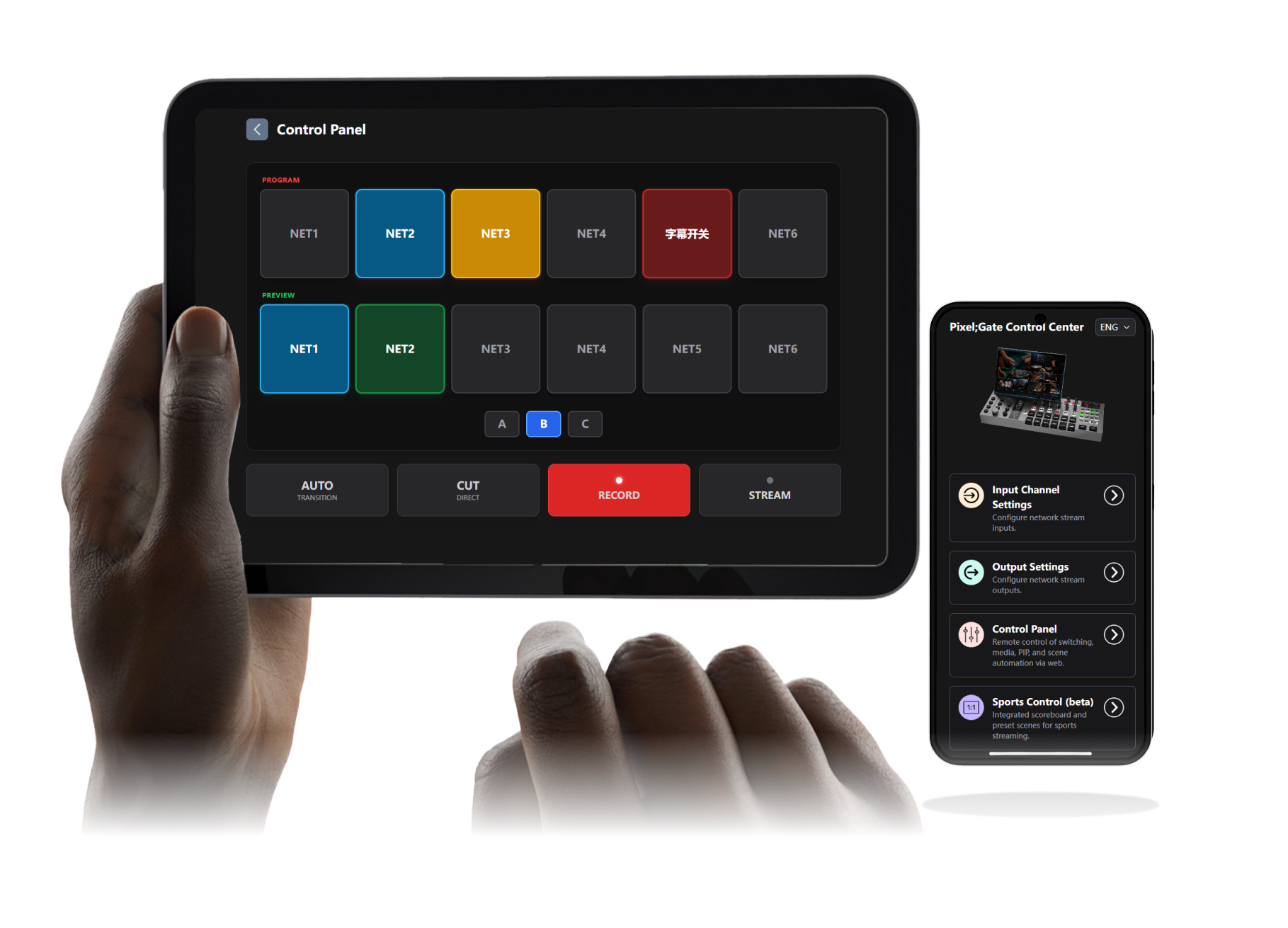
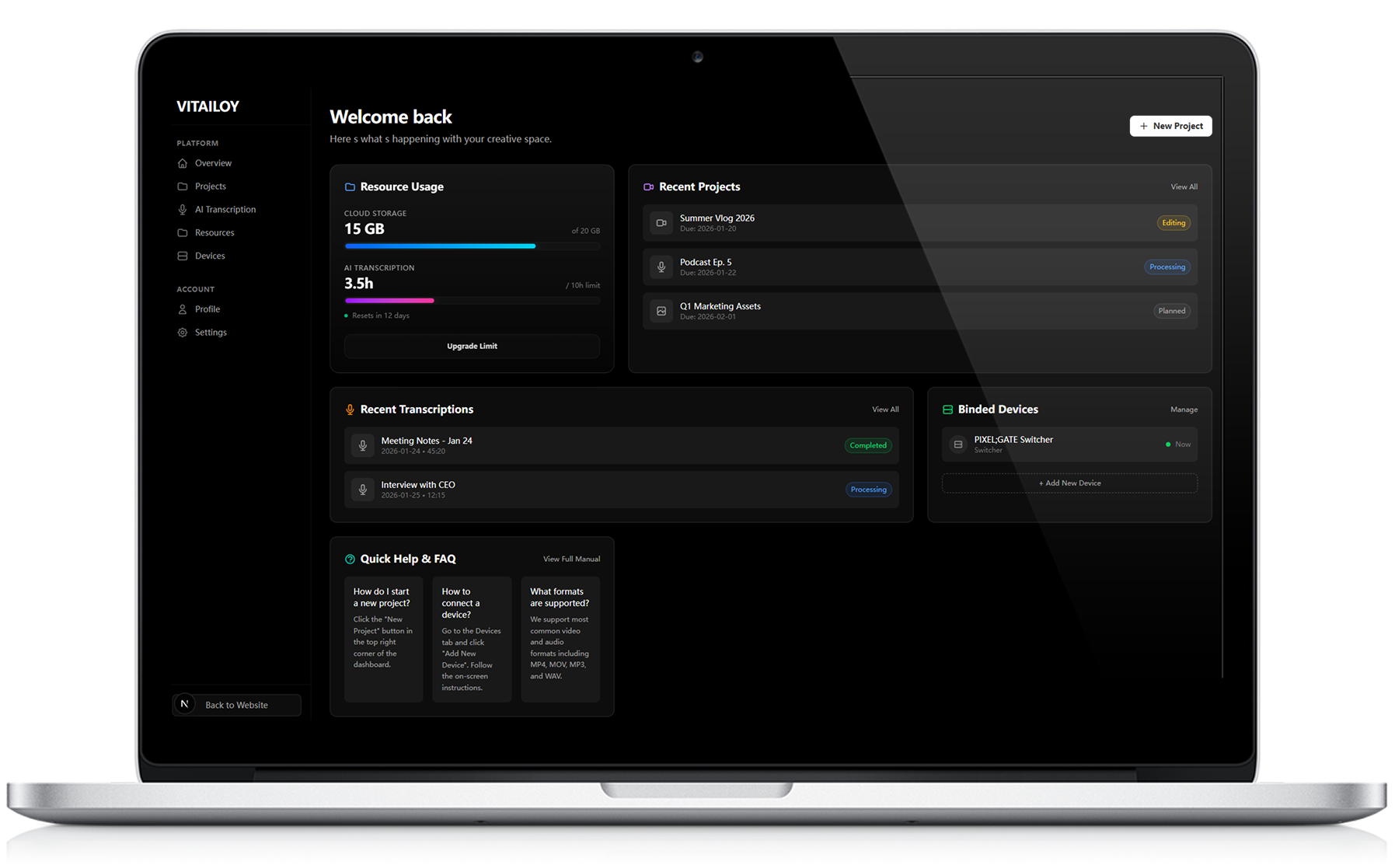
Pixel;Gate AI Cloud Services
With Pixel;Cloud, users can store graphics, templates, lyrics, media files, presets, and production resources online. Prepare everything before the show, then import the complete package to PIXEL;GATE with one click.
After recording, upload project files to the cloud and use AI assistance for transcription, summarization, and smarter post-production workflows tailored to your production scenario.
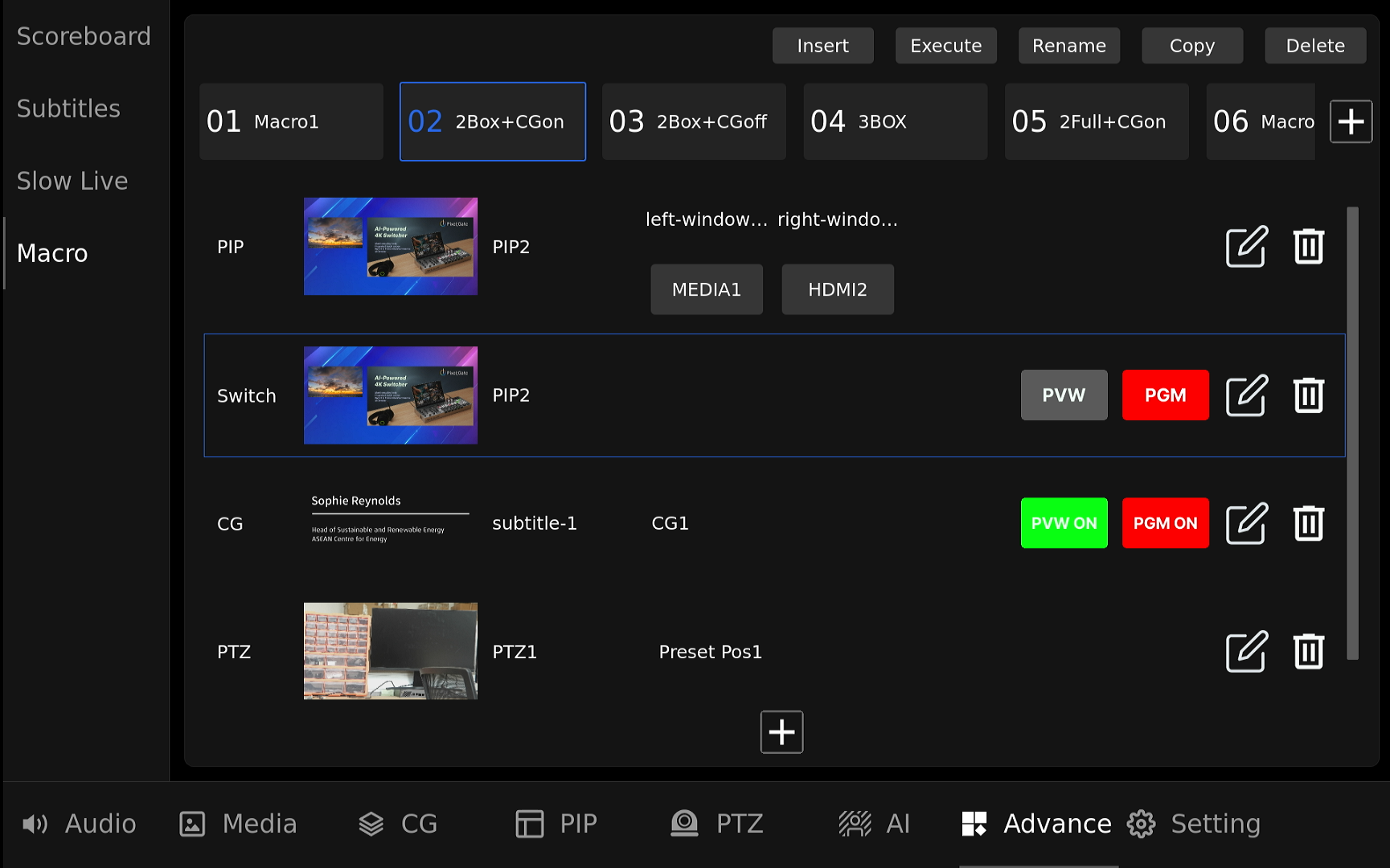
One-Touch Production Macros
Build complete production sequences and trigger them instantly. With PIXEL;GATE Macros, multiple actions — including camera switching, subtitles, overlays, PIP windows, PTZ presets, switching, and media playback — can be combined into one streamlined workflow.
Designed for fast-paced live production, Macros help operators reduce repetitive steps, avoid missed cues, and execute complex show moments with greater speed and confidence. Bind your workflow to a programmable key, press once, and let PIXEL;GATE handle the sequence.
Specifications
Under the hood.
Video Inputs
Get your PIXEL;GATE on Kickstarter.
Back the campaign, talk directly with Shawn, or join the Discord community for product updates and conversation.